As an Amazon Associate we earn from qualifying purchases. Product links on this page may be affiliate links.
Last reviewed: November 2026. Sources last checked November 2, 2026. Apps keep adding Matter features, so the app table below is dated; check your app's release notes before you buy.
A Matter over Thread smart plug with energy monitoring switches a device on and off and reports how much power it draws, using Matter as the common language and Thread as the radio. Three things decide whether you will actually see those readings: a Thread border router in your home, a plug that reports energy over Matter rather than only in its maker's app, and a controller app that displays it. The last one is the catch. As of November 2026, Home Assistant shows Matter energy data, Google Home added it on Android on October 29, 2026, and neither Apple nor Amazon documents it for their apps.
Table of Contents
- Matter, Thread and energy reporting in plain terms
- Which apps show the energy readings (November 2026)
- What you need before you buy
- How Thread plugs compare with other smart plugs
- What is worth monitoring
- Turning readings into dollars
- Electrical limits and safety
- Setup tips that avoid frustration
- Frequently asked questions
- More smart home guides
- Sources
Matter, Thread and energy reporting in plain terms
Matter is a smart home standard from the Connectivity Standards Alliance (CSA). A Matter device is not tied to one app. Google describes the Multi-Admin feature as letting you "use Matter-enabled devices simultaneously in different Matter-certified apps like Google Home, Apple Homekit, Amazon Alexa, and more," and Home Assistant, which calls it Multi Fabric, says "you can join the same device to multiple controllers." Matter defines what a device does and how controllers talk to it.
Thread is a low-power mesh network, managed by the Thread Group, that Matter devices can use instead of Wi-Fi. The Thread Group says that "every mains-powered Thread device (such as a light bulb) serves as a Thread Mesh Extender, rerouting data from one device to another," so each Thread plug you add can strengthen the network for battery-powered sensors nearby.
Energy reporting arrived later than basic on/off control. The CSA added it in Matter 1.3, announced in May 2024, covering real-time power, voltage and current plus energy used over time. A plug can measure power and still expose only on/off over Matter, so look for listing or support-page wording that says energy data is available through Matter, not only in the brand's app.
Which apps show the energy readings (November 2026)
This is the part most product listings skip. A plug can report energy over Matter perfectly and you still see nothing, because each app decides which Matter features it displays. Here is what each company documents as of November 2, 2026:
| App | Shows Matter energy data from a plug? | What the company says |
|---|---|---|
| Home Assistant | Yes, since release 2024.10 (October 2024) | The release notes list "Add support for Matter 1.3 power/energy sensors". |
| Google Home | Yes on Android, since October 29, 2026 | Compatible Matter plugs "now display both real-time power (mW) and total energy consumed (kWh)" on their tiles. The release note is marked Android. |
| Samsung SmartThings | Yes for Eve Energy, according to Eve | Samsung publishes no list. Eve says its energy features are "currently available on the Samsung SmartThings and Home Assistant platforms." |
| Apple Home | Not documented | The Home app's electricity view comes from "connecting your utility account to the Home app", not from plugs. |
| Amazon Alexa | Not documented | Amazon's list of supported Matter categories includes "lighting and smart plugs" and says nothing about energy readings. |
If your app is one of the last two, the plug maker's own app is usually where the numbers end up. Eve, for example, says you can track consumption "with the free Eve app or the energy measurement feature of your chosen platform." So check two things on the plug's page: that it reports energy over Matter, and that its own app reads the energy data on your phone.
What you need before you buy
A Thread border router
Thread devices reach your controller through a border router, a device that passes traffic between the Thread mesh and the rest of your home network. The Thread Group says the role "can be found in many devices such as lighting panels, smart speakers or set-top boxes," and you may already own one:
- Apple: a "Thread-enabled home hub, such as HomePod mini or Apple TV 4K (3rd generation) Wi-Fi + Ethernet, or a supported third-party border router" (Apple).
- Google: the Google Home Speaker (2026), Nest Hub (2nd gen), Nest Hub Max, Nest Wifi Pro and Google TV Streamer support Matter over both Wi-Fi and Thread. Nest Audio, Nest Mini and the first Nest Hub are not on that list (Google).
- Amazon: "Thread-enabled Amazon Echo and eero devices have built-in Thread Border Routers"; Amazon's Thread support page lists the models.
Some Wi-Fi routers include one too; our guide to choosing a router for a smart home covers which. If you have none and do not want to add one, a Matter over Wi-Fi plug skips the requirement.
A plug that reports energy over Matter
Measuring power and sharing it over Matter are two different features. Eve Energy is a clear example of a Thread plug that does: its US model is rated "AC 120 V, 60 Hz, max. 15 A / 1,800 W," and on April 10, 2025 Eve announced "support for the Matter standard's energy reporting capabilities through its Eve Energy smart plug," delivered as a firmware update. Whatever brand you look at, find that kind of statement on the maker's own site, not just "energy monitoring" on the box.
The setup code
Setup uses a code that comes with the plug: Apple, for example, says you may need to scan a QR code or "enter an 11 or 21-digit code for Matter-enabled accessories." Photograph it and keep it in case you ever have to set the plug up again. To add the plug to a second app, you do not reuse that code; you generate a temporary one in the app the plug already uses. Google's Home app offers "Use pairing code or Share with QR code" for this, and Apple tells you to "generate a pairing code" in the accessory's current app.
How Thread plugs compare with other smart plugs
| Type | Works with | Strengths | Drawbacks |
|---|---|---|---|
| Matter over Thread | Any Matter ecosystem, through a border router | Extends the Thread mesh; works locally; stays off your Wi-Fi | Needs a border router; energy display depends on the app |
| Matter over Wi-Fi | Any Matter ecosystem | No border router needed | Adds clients to your Wi-Fi; does not extend a Thread mesh |
| Zigbee or Z-Wave | A compatible hub | Mature, with wide device choice | Needs a hub that speaks that protocol |
| Brand Wi-Fi plug (no Matter) | The brand's app and its integrations | Often detailed energy history in the app | Often depends on the brand's cloud |
What is worth monitoring
Energy plugs pay off when they answer a question you have. Good candidates:
- The entertainment center. TVs, consoles and streaming boxes draw power in standby. A week on a monitoring plug shows the standby total.
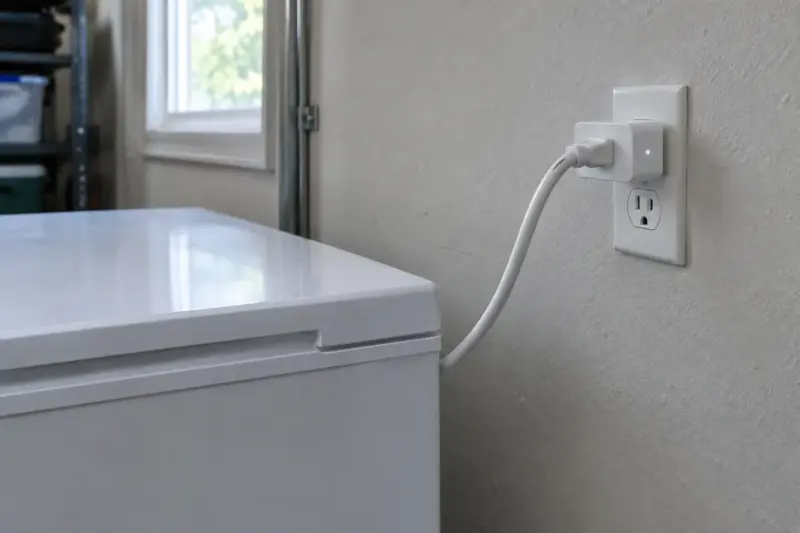
- An old second refrigerator or chest freezer. A week of readings tells you what it costs to run, which helps you decide whether to replace it.
- A dehumidifier or window air conditioner. Check the appliance's rating first (see the limits below). Watts over time show you how hard it works in humid weeks.
- A home office. You learn what the computer, monitors and printer cost when you are away from your desk.
Turning readings into dollars
Your plug reports energy in kilowatt-hours (kWh). Your utility bill lists what you pay per kWh, often with several line items for supply and delivery. Add those per-kWh charges to get your rate. Then:
Cost = kWh used × your rate per kWh.
For a hypothetical example: if a freezer uses 1.2 kWh per day and your combined rate is 18 cents per kWh, it costs about 22 cents per day, or around $79 per year. Use your own bill's numbers. Rates vary widely: in the EIA's 2024 residential data, the US average was 16.48 cents per kWh, from 11.51 cents in North Dakota to 42.86 cents in Hawaii. If your utility charges time-of-use rates, the plug's hourly history tells you how much of the use falls in expensive hours.
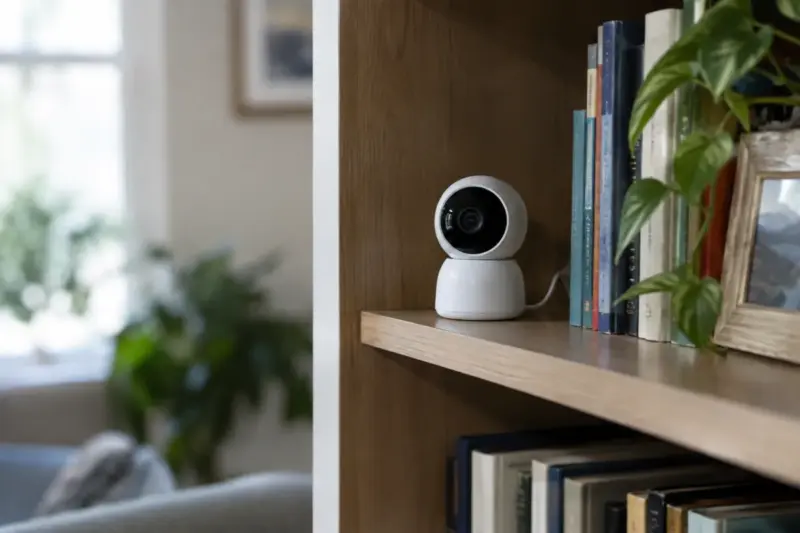
For a sense of scale, a wired Nest camera uses about 19 to 21 kWh a year by Google's own figures, a few dollars of electricity: see how much power and bandwidth a Nest camera uses.
Electrical limits and safety
Standard US outlets supply 120 volts, and the amp rating printed on the plug sets its ceiling. A plug rated 15 amps at 120 volts tops out at 1,800 watts (15 × 120) for resistive loads. Check the rating on the plug and in its manual, including any separate limit for motors.
- Look for a safety certification mark. In the US, that means a listing mark from a testing organization on OSHA's list of Nationally Recognized Testing Laboratories, such as UL, Intertek (ETL) or CSA Group. CSA Group is a separate organization from the Connectivity Standards Alliance behind Matter.
- Leave space heaters out. The CPSC tells you to plug electric space heaters directly into a wall outlet, never into an extension cord or power strip. A smart plug adds a connection in between; skip it for heaters and other high-draw heating appliances.
- Respect continuous loads. Appliances that run for hours at high draw, such as window air conditioners, stress a plug more than a lamp does. Keep them well under the rating, and retire a plug that feels hot.
- Use outdoor-rated plugs outdoors. Indoor plugs are not built for rain or condensation. For holiday lights or a pond pump, buy a plug rated for outdoor use and keep it in a GFCI-protected outlet with a weatherproof cover, as the CPSC home electrical safety checklist recommends.
- Do not stack devices. Avoid plugging one smart plug into another or into an extension cord chain.
Setup tips that avoid frustration
- Add the plug to the ecosystem you use most first. Use that app's option to share the device with a second ecosystem if you need it.
- Name the plug after what it powers ("Garage Freezer"), not after the brand.
- Install plugs from the border router outward, so each new plug has a path back to the router.
- Set the power-on behavior if the app offers it. For a freezer, you want the plug to restore power after an outage.
Once you have checked the app table above against the app you use, compare plugs: → Matter over Thread plugs with energy monitoring · Eve Energy
Frequently asked questions
Do Matter over Thread plugs work without the internet?
Inside the house, yes. The Connectivity Standards Alliance says that "even if your connection to the internet goes down, Matter devices will maintain functionality within your local network." Control from outside the house is different: Google says those commands are "carried out by connecting to the cloud over the internet."
Does Apple Home show power usage from a Matter plug?
Apple does not document it as of November 2, 2026. The Home app's electricity usage view reads your utility account, and Apple says it needs "a residential electrical service with a participating utility provider." For a plug's own readings on an iPhone, use the plug maker's app.
Why does my app show on/off but no energy readings?
Either the plug does not expose energy data over Matter, or your app does not display it yet. Check the plug's support page and the app's release notes, and update the plug's firmware: energy reporting can arrive later. TP-Link, for example, added it to its Tapo P110M (a Matter over Wi-Fi plug) with a firmware update whose notes say "Matter 1.3 is now ready, which allows real-time and historical power/energy usage tracking in Matter-enabled apps."
Can I use a smart plug on a refrigerator?
Many people monitor refrigerators with smart plugs. Check that the plug's rating covers the fridge's draw, including the startup surge of the compressor, and set the plug to turn on after a power outage. Do not schedule a fridge to turn off.
Is a Thread plug more secure than a Wi-Fi plug?
The CSA's Matter security white paper says Matter protects every message and does not rely on the security of the network underneath, Wi-Fi or Thread. So the radio matters less than the maker's track record on firmware updates. Pick a brand that publishes updates, and install them.
More smart home guides
- How Much Power and Bandwidth a Nest Camera Actually Uses
- What to Look for in a Router for a Smart Home
- How to Choose a Smart Lighting System
Sources
- Matter 1.3 Specification Released, why Matter devices belong on your primary Wi-Fi network and Matter Security and Privacy Fundamentals, Connectivity Standards Alliance
- What is a Thread Border Router?, Thread Group
- Set up your HomePod, HomePod mini, or Apple TV as a home hub, set up accessories and view electricity usage and rates, Apple
- Google devices with Matter, Matter-enabled devices in multiple apps and Google Home release notes (October 29, 2026), Google
- Thread support and supported Matter device categories, Amazon
- Matter integration and release 2024.10, Home Assistant
- Eve Energy and Matter energy reporting announcement (April 10, 2025), Eve Systems
- Tapo P110M firmware 1.3.2 release notes, TP-Link
- 2024 Average Monthly Bill, Residential, U.S. Energy Information Administration
- Current List of NRTLs, OSHA
- Winter heating safety tips (2026) and Home Electrical Safety Checklist, U.S. Consumer Product Safety Commission
- Electricity 101, U.S. Department of Energy
Sources last checked November 2, 2026.
If you'd like to read other articles similar to Matter Over Thread Smart Plugs With Energy Monitoring: What to Check Before You Buy You can visit the category Energy Monitoring.
You may also enjoy reading