As an Amazon Associate we earn from qualifying purchases. Product links on this page may be affiliate links.
Last reviewed: November 2026. Sources last checked November 2, 2026.
Ring video doorbells and cameras do not need a Ring Bridge: they connect to your Wi-Fi on their own. Ring Smart Lighting is what needs one. Ring says "a Bridge (2nd Gen), Alarm Pro Base Station, or compatible Echo device is required for Smart Lighting," and since its lights started connecting through Amazon Sidewalk, it adds that "if you already own a device that supports Sidewalk, you might not need Ring Bridge (2nd Gen)." So the real question is what you already own.
Table of Contents
What the Ring Bridge does
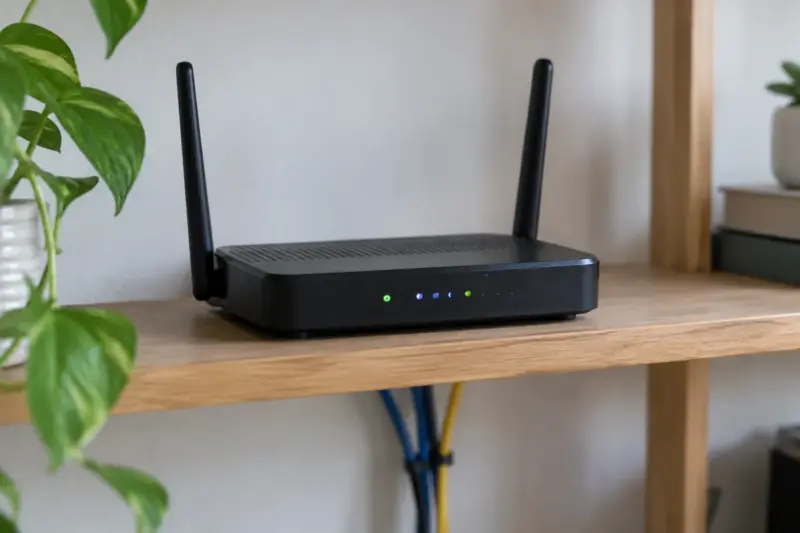
In Ring's words, the Bridge (2nd Gen) "connects Ring smart lights and accessories to your other Ring devices in the Ring app, allowing your lights to turn on when your cameras or doorbell detect motion." It also connects Ring accessories that use Amazon Sidewalk to that network. Ring's lights and the Bridge talk over their own radio link, which Ring describes as "a proprietary long-range communication system"; the Bridge then reaches the Ring app through your home Wi-Fi.
The practical details, from Ring's spec page for the Bridge (2nd Gen):
- Wi-Fi: "802.11 b/g/n wifi connection @ 2.4 GHz", with a minimum upload speed of 1 Mbps and 2 Mbps recommended.
- Capacity: "approximately 50 Ring Smart Lighting devices, including Motion Sensors". The page for the original Bridge adds "One Ring Bridge supported per household."
- Installation: it plugs into a standard wall outlet, and it is for "indoor installation only".
Which Ring devices need it
| Device | Needs a Bridge? | What Ring says |
|---|---|---|
| Video doorbells and cameras | No | They join your Wi-Fi directly. The Battery Doorbell Plus spec, for example, lists "802.11 b/g/n wifi connection @ 2.4GHz" and does not mention a Bridge. |
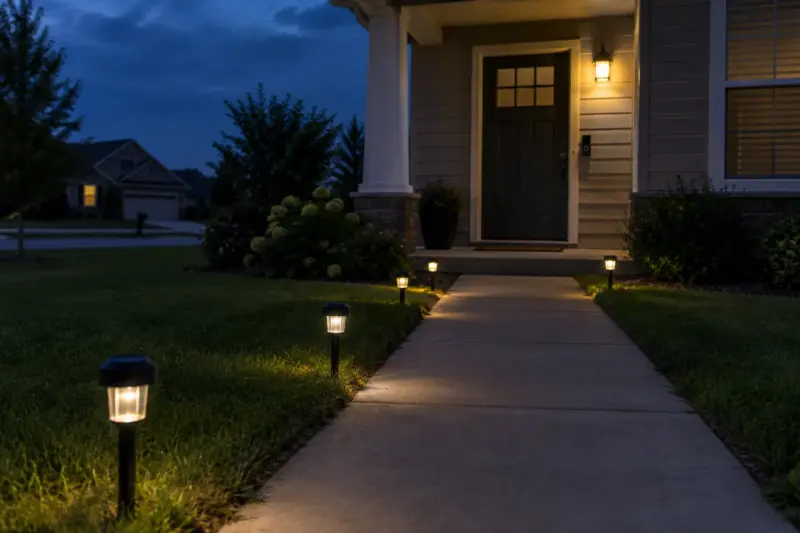
| Smart Lighting (path lights, spotlights, floodlights, motion sensors) | Yes, or a device that does the same job | "A Bridge (2nd Gen), Alarm Pro Base Station, or compatible Echo device is required for Smart Lighting." |
| Smart LED bulbs | Yes, for anything smart | "Without the Ring Bridge, the Smart LED Lightbulbs will only function as standard light bulbs." |
| Mailbox Sensor | Not if Sidewalk reaches it | "You do not need a hub device like Ring Bridge or Alarm Pro Base Station (sold separately) if your Mailbox Sensor is using Amazon Sidewalk to connect." |
When a doorbell or camera owner does want one
The Bridge earns its place when you add Ring lights and want them to work with the cameras you already have. Ring's settings page explains the mechanism: "Use the Groups feature with a Bridge to connect Smart Lights and cameras. This allows them to trigger each other or share settings like Light Schedules." That is how a camera's motion alert switches on the path lights, or a Smart Light's own motion sensor triggers a camera.
If you only own doorbells and cameras, there is nothing for a Bridge to connect.
Devices that can do the Bridge's job
Before you buy a Bridge, check whether something in the house already fills the role:
- Ring Alarm Pro. Ring says "the Alarm Pro Base Station can be used as a bridge (or hub) for Ring Smart Lighting devices," and you choose it as the bridge when you set up each light.
- Some Echo devices. In the US, "Amazon Echo (4th Gen) or an Echo Show 10 (3rd Gen) have a built-in Ring Smart Lighting Bridge."
- A device that bridges to Amazon Sidewalk. Ring describes Sidewalk as "a wireless community network that's redefining connectivity for smart devices," and says it is "already available to 90% of people in the United States." For Smart Lighting, Ring lists these as compatible Sidewalk bridges: Ring Bridge (2nd Gen), Floodlight Cam Wired Pro, Floodlight Cam Wired Plus, Floodlight Cam, Outdoor Cam 4K Pro, Spotlight Cam Wired, Wired Doorbell Pro (Video Doorbell Pro 2), Echo (4th Gen), Echo Show 10 (3rd Gen), Echo Show 15 (2nd Gen), Echo Show 21 and Echo Hub.
Sidewalk comes with two caveats from Ring itself. Coverage "may vary and is subject to change or interruption," and "not all Sidewalk bridges support all Ring devices." Ring's own advice is that with good Sidewalk coverage "you only need the compatible device," but "having a bridge ensures a stronger connection." So if a light keeps dropping off the Ring app while it relies on Sidewalk, a dedicated Bridge is the fix Ring points to.
→ Ring Bridge (2nd Gen) · Ring Smart Lighting
If you buy one: setup notes
- Bridge first. Ring says to "install and set up your Bridge before installing and setting up your Smart Lights."
- Place it toward the lights. Ring recommends an area with strong Wi-Fi, "near the area you plan to place your Smart Lighting, ideally by a window." It is an indoor device, so in practice that means a window on the side of the house where the lights are.
- Use 2.4 GHz. The Bridge only connects on 2.4 GHz. If your router merges its bands under one network name and setup fails, our guide to choosing a router for a smart home explains why and what to change.
The short answer
- Only Ring doorbells and cameras: no Bridge.
- Ring Smart Lighting or Ring smart bulbs: you need a Bridge, unless you already own a Ring Alarm Pro, an Echo (4th Gen) or Echo Show 10 (3rd Gen), or another of the Sidewalk bridges on Ring's list, and your lights connect reliably through it.
- Mailbox Sensor: not if Sidewalk reaches your mailbox.
Whatever you connect, it ends up on the same account and the same home network as your cameras, so it is worth reading how to secure a smart home while you are setting things up.
More smart home guides
- What to Look for in a Router for a Smart Home
- How to Secure a Smart Home: The Settings That Matter
- How to Choose a Smart Lighting System
Sources
Ring requirements and the role of the Bridge: Ring's Smart Light settings, Bridge (2nd Gen) specifications, original Bridge specifications, Smart LED bulbs FAQ and setting up the Bridge. Doorbells: Battery Doorbell Plus specifications. Alternatives: Alarm Pro as a bridge, Echo devices as a Smart Lighting Bridge and Amazon Sidewalk compatible devices. Sidewalk and the Mailbox Sensor: Ring's store pages for the Bridge (2nd Gen) and the Mailbox Sensor.
Sources last checked November 2, 2026.
If you'd like to read other articles similar to Do You Need a Ring Bridge? What It Does and Which Ring Devices Require It You can visit the category Smart Security.

You may also enjoy reading